
Choosing a new laptop feels exciting until you actually start looking. Suddenly, you face a wall of specs, processor generations, GPU tiers, and panel types, each one promising to be exactly what you need. Before long, what started as a quick browse turns into a genuine headache. Sound familiar? You are not alone, and the good news is that it does not have to be this way.
At Box.co.uk, we stock one of the UK’s widest selections of laptops from budget-friendly Chromebooks to elite gaming machines and professional workstations. Whether you work from home, game competitively, study late, or just need a reliable everyday device there is a laptop here that fits. This guide walks you through everything you need to know, so that by the end, you can buy with complete confidence.
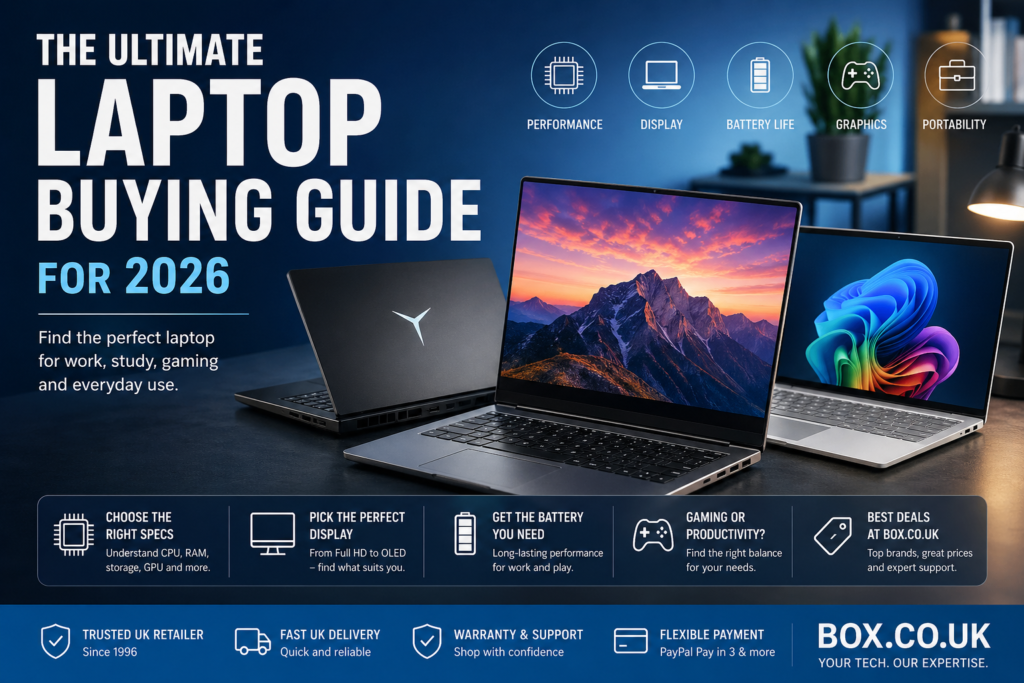
Why the Right Laptop Matters More Than Ever
Today’s laptops do far more than browse the web or send emails. They power creative workflows, run AI tools, deliver cinematic gaming experiences, and keep remote teams connected across the country. Your choice shapes how your workday feels, how your games run, and how long the battery lasts on the commute home.
The laptop market has evolved at a pace that makes even two-year-old advice feel dated. AI-ready processors with dedicated neural processing units (NPUs), next-generation OLED displays, and impressively thin-and-light designs now sit at price points that simply did not exist a few years ago. There has never been a better time to upgrade provided you pick wisely.
Step One: Know What You Need It For
Before you look at a single spec sheet, ask yourself one clear question: what will you primarily use this laptop for? Your answer shapes every decision that follows.
For work and productivity, you need strong single-core performance, a sharp display for long reading sessions, solid battery life, and a comfortable keyboard. A decent webcam matters too if you join video calls regularly. Business laptops from the Lenovo ThinkPad, HP EliteBook, and ASUS Vivobook ranges combine professional build quality with the performance to handle demanding workloads all day.
For gaming, raw performance takes priority. You need a dedicated GPU, a high-refresh-rate display, and a processor that keeps up with demanding modern titles without throttling. Gaming laptops at Box.co.uk including models from the Lenovo Legion and HP OMEN ranges pair NVIDIA RTX graphics with powerful Intel or AMD processors, delivering smooth frame rates and immersive visuals. Our NVIDIA RTX 50 Series gaming laptops push this further by using AI-assisted rendering (DLSS 4) to achieve higher frame rates without the battery drain that older generations suffered.
For creative work video editing, 3D modelling, graphic design, or music production you need a well-calibrated display with accurate colour reproduction, strong multi-core processor performance, and plenty of RAM. Creator-focused options such as select ASUS Zenbook models and the Apple MacBook range are purpose-built for exactly this kind of work.
For students, portability, battery life, and affordability take centre stage. Chromebooks and lightweight Windows laptops handle everyday tasks brilliantly, and because they are lighter and more compact, carrying them between lectures is far less of a chore. Box.co.uk regularly features competitive deals on student laptops, so getting great value without overspending is very achievable.
For everyday home use, almost any mid-range laptop does the job well. Choosing one with a good display, a comfortable keyboard, and enough storage for photos, documents, and media makes the daily experience noticeably more enjoyable.
Step Two: Understand the Key Specs
Once you know your use case, specs start making much more sense. Rather than overwhelming you with every number on the box, here are the ones that actually matter.
Processor (CPU)
Intel’s Core Ultra series (Ultra 5, Ultra 7, Ultra 9) and AMD’s Ryzen 7 and Ryzen 9 chips sit at the top of the mainstream laptop performance ladder right now. A Core i5 or Ryzen 5 delivers more than enough for everyday tasks. Gaming and creative work benefit noticeably from moving up to an i7, i9, or Ryzen 7. At the budget end, a Core i3 or Ryzen 3 handles basic computing competently.
It is also worth knowing about Qualcomm’s Snapdragon X Elite and Snapdragon X Plus chips, which power Microsoft’s Copilot+ PCs. These ARM-based processors are impressive for battery life some models deliver 15 hours in ideal conditions. AI tasks like live captions and real-time translation run entirely on-device, with no cloud processing needed. Worth noting: most apps run seamlessly on Snapdragon chips, though some older specialist software may see reduced performance. Check compatibility for your must-have programmes before committing to an ARM-based laptop. Browse the full Copilot+ PC range at Box.co.uk.
RAM
8GB handles basic computing, but 16GB is the new standard for comfortable multitasking. Running creative software or keeping many tabs and applications open simultaneously? 32GB gives you the headroom to work without slowdown.
PRO TIP: Before buying, check whether the RAM is soldered to the motherboard or upgradeable. Soldered RAM means what you buy is what you are stuck with. On upgradeable models, you can add more later as your needs grow.
Storage (SSD)
Avoid hard drives wherever possible. An SSD makes a laptop feel dramatically faster apps open quicker, files load instantly, and the system boots in seconds. Aim for at least 256GB for light users, 512GB for most people, and 1TB or more if you store large media files or install many games locally.
PRO TIP: SSDs are labelled PCIe Gen 3 or Gen 4. Gen 4 is technically faster, but for everyday use you will not notice the difference. Prioritise capacity over speed unless you regularly transfer huge video files.
Display
The display is what you interact with every single time you open the lid, so it deserves real attention. Full HD (1920×1080) looks sharp on screens up to 15 inches. QHD (2560×1440) and 4K panels add noticeably more detail on larger screens. Beyond resolution, panel type matters too. IPS panels deliver wide viewing angles and vibrant colours. OLED screens increasingly common even at mid-range price points produce deeper blacks and richer contrast that transforms the viewing experience, whether you are watching a film or editing photos.
PRO TIP: OLED displays look stunning but can develop burn-in if static images like a taskbar sit on screen for hours daily. For heavy office use, a high-quality IPS panel is often the smarter long-term choice.
Refresh rate is worth considering as well. A 60Hz panel suits everyday tasks, while 120Hz and above makes gaming and general scrolling noticeably smoother.
Battery Life
Real-world battery figures fall short of manufacturer claims, so factor that in. Budget laptops typically deliver 4 to 6 hours away from the mains. Lightweight business and student laptops with efficiency-focused chips usually manage 7 to 10 hours. ARM-based Copilot+ PCs can push to 12 to 15 hours in ideal conditions, though demanding apps bring that figure down. Gaming laptops are a different story expect around 2 to 3 hours of actual gaming before you need to plug in, with light browsing extending that to around 4 to 6 hours.
Graphics (GPU)
Integrated graphics handle everyday tasks and general productivity perfectly well. A dedicated GPU becomes essential the moment you move into gaming, video editing, or 3D work. At mid-range, cards like the RTX 4050 and RTX 5050 handle most games and creative tasks with ease.
PRO TIP: At 1080p, an RTX 4050 or RTX 5050 handles most titles at high settings. Only move up to an RTX 5070 if you plan to game at 1440p or want to future-proof for the next few years.
The RTX 5070 and RTX 5080 deliver a significant leap in AI-assisted rendering for those who need the very best. NVIDIA’s RTX 40 and RTX 50 Series GPUs are available across the gaming laptop range at Box.co.uk.
Step Three: Choose the Right Size and Weight
Size and weight play a bigger role in day-to-day satisfaction than many buyers initially realize. Working from a tray table on the 8:05 to Paddington? A 13-inch or 14-inch ultraportable slips easily into a bag and goes unnoticed until you need it though the screen can feel cramped during extended work sessions.
A 17-inch laptop gives you a spacious workspace that rivals a desktop setup, but the extra weight gets tiring to carry regularly. Most people find a 15-inch model hits the sweet spot roomy enough for productive work and detailed gaming, yet still manageable on the move.
If you mainly use your laptop at a desk and only occasionally move it around the home, a larger screen brings real daily benefits. A slim 13-inch or 14-inch device paired with an external monitor gives you the best of both worlds portability when you need it, screen space when you do not.
Step Four: Build Quality and Keyboard Comfort
Specs tell you what a laptop can do. Build quality tells you how long it will keep doing it. Aluminium chassis resist flexing better than plastic and feel more premium in everyday use, though well-engineered polycarbonate designs can prove remarkably durable too. Business-grade laptops particularly the Lenovo ThinkPad line often undergo military-specification durability testing, making them tough companions for demanding environments.
Keyboard comfort is equally important and yet frequently overlooked. Good key travel and tactile feedback make a real difference to typing speed and fatigue over long sessions. Always check reviews that specifically assess keyboard quality, as it varies considerably even between models from the same brand.
Step Five: Think About Connectivity
Modern laptops have shed legacy ports in pursuit of thinner designs, so check the port selection carefully before committing. Ideally, look for at least two USB-A ports for everyday peripherals, USB-C or Thunderbolt 4 for fast data transfer and display output, an HDMI port for monitors or TVs, and a headphone jack.
Power Delivery over USB-C is increasingly useful it lets you charge from a standard USB-C charger, which is handy when travelling light. Missing a built-in ethernet port? A USB-C dock or adapter solves that easily. Box.co.uk stocks a wide range of laptop accessories and docking stations to extend your setup however you need.
Why Shop for Your Laptop at Box.co.uk?
Buying a laptop is a meaningful investment, and where you buy matters just as much as what you buy. Box.co.uk has been part of UK tech retail since 1996, building a reputation on competitive pricing, product expertise, and customer service you can actually reach by phone Monday to Friday, 9am to 5pm on or via live chat at any time.
Our range covers every use case and budget. Whether you need an entry-level Chromebook, a lightweight business laptop, a high-performance gaming machine, or an AI-ready Copilot+ PC, you will find it here. The refurbished laptop section offers professionally tested, quality-checked devices at reduced prices great flexibility if budget is a key consideration.
Every purchase comes with fast UK delivery, a clear warranty, and a hassle-free returns process. Flexible payment options including PayPal Pay in 3 make spreading the cost of a higher-spec machine straightforward. Our deals section updates regularly, so it is always worth checking current laptop deals before you buy savings across HP, Lenovo, ASUS, Acer, and Microsoft Surface appear frequently.
Quick Recommendations by Use Case
Productivity and all-day battery life: Copilot+ PCs and business laptops with Intel Core Ultra 5 or Ultra 7 processors balance performance and efficiency better than almost anything else available right now.
Gaming: An NVIDIA RTX 5060 Ti-equipped laptop is a strong starting point, moving up to an RTX 5070 or 5080 if your budget allows.
Creative professionals who need colour accuracy and processing power will find that OLED display laptops with a Ryzen 9 or Core i9 processor deliver the kind of performance that actually accelerates a workflow.
Students and everyday users: The 15-inch Windows laptop range at Box.co.uk offers strong processors, Full HD displays, and solid battery life at highly accessible price points.
Frequently Asked Questions
Is 16GB RAM enough in 2026? For most users — yes. 16GB handles everyday tasks, web browsing, streaming, office applications, and even light photo editing with ease. Move up to 32GB if you run creative software, virtual machines, or keep dozens of browser tabs open at once.
Can I use a gaming laptop for work? Absolutely. Gaming laptops typically feature fast processors, high-quality displays, and responsive keyboards that work just as well for productivity as they do for gaming. The main trade-offs are weight and battery life gaming machines tend to be heavier and drain faster away from the mains.
What is the best budget laptop for students in the UK? A 15-inch Windows laptop with an Intel Core i5 or AMD Ryzen 5, 16GB of RAM, and a 512GB SSD hits the sweet spot between price and performance. Chromebooks are an even more affordable option for note-taking and web-based work. Browse the student laptop range at Box.co.uk to see current deals.
What is a Copilot+ PC and do I need one? A Copilot+ PC is built around a powerful NPU (neural processing unit) that handles AI tasks on-device things like live captions, real-time translation, and Windows Studio Effects in video calls. Not essential for everyone, but if you prioritize all-day battery life and AI-assisted features, they are worth a serious look.
Are refurbished laptops worth buying? Yes, provided you buy from a reputable retailer. Box.co.uk’s refurbished laptops are professionally tested and quality-checked before sale, offering real savings on well-known brands without compromising reliability. They come with a warranty for added peace of mind.
How long should a laptop last? A quality laptop bought today should serve you well for five to seven years with reasonable care. Choosing a model with upgradeable RAM and storage rather than soldered components extends that lifespan, as you can boost performance as your needs grow.
What ports do I actually need? At minimum: two USB-A ports, one USB-C (ideally Thunderbolt 4), HDMI, and a headphone jack. Check for an ethernet port or budget for a USB-C adapter if you use wired internet.
Conclusion
Buying a laptop in 2026 means choosing from an impressive field of devices more capable and more competitively priced than any previous generation. By clarifying your use case first, understanding the specs that actually matter, and shopping with a retailer that backs its products with real expertise and customer support, you put yourself in the best position to make a purchase you will be happy with for years to come.
Box.co.uk stocks the full range of gaming laptops, business laptops, AI-ready Copilot+ PCs, Chromebooks, student laptops, and lightweight portable machines from every major brand. Browse the complete range, filter by processor, screen size, GPU, and price, then check current deals for the best value. Your perfect laptop is already here and finding it is easier than you might think.
